Kid and pet safety with humanoid robots: a practical 2026 owner’s guide

While 2026’s consumer humanoid robots incorporate multiple safeguards against home-related injuries, they certainly don’t pose zero risk. Owners with children and pets should be informed and careful, leveraging the manufacturer’s safety features, configuring the robot sensibly, and keeping an eye on it carefully, rather than being negligent about risk or opting out altogether.

RobixOne is an independent editorial site. We do not sell humanoid robots, we do not accept payment for reviews, and every recommendation follows our published HOSI methodology and aggregated owner research. Read our methodology →
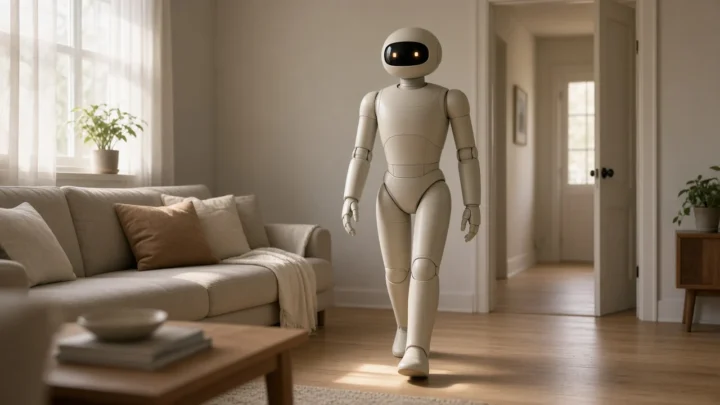
A consumer humanoid robot interacting calmly in a residential home setting, illustrating the kind of environment where deliberate safety configuration matters most.
Most humanoid robots are designed with safety in mind, but configuration choices and household supervision still matter.
KEY TAKEAWAYS
  • When you have kids and pets in your home, be sure to have the manufacturer’s Child/Pet-aware Mode on at all times.
  • Keep motion and speed settings conservative in the first few weeks. You can gradually ease off as you build confidence.
  • Always supervise young children when your robot is operating.
  • Keep an eye out for indicators of stress in both pets and children, who tend to let us know something’s amiss even before speech comes online.
  • Check your safety settings again following any large software update, as default settings can get switched around during updates.

What’s actually engineered for kid and pet safety

The 2026 consumer robot humanoid will come with several safety measures. The machine will employ obstacle detection to avoid collisions during its daily functioning. In the event of unforeseen contact or wobbling, the emergency stop mechanism will automatically bring the robot to a halt. Joints are outfitted with pinch protection systems that reduce the severity of injury from accidental human and animal contact. It will also have special movement modes sensitive to small people or animals, in which the robot will decelerate and smooth out its path when small humanoids or animals are in close proximity.

Most of these features are turned on by default but can be adjusted. Check your companion app to see which are currently active, and don’t turn off any that are suitable for your home setup.

Configuration for the first weeks

During the first few weeks of ownership, use a more conservative robot movement profile such as: slow walking speed; smooth, relaxed arm movement; and the manufacturer’s most conservative setting for the gentle-introduction mode. You and other family members are also learning the robot’s behavioral patterns at this time.

The settings may then be gradually loosened as trust is gained. The capability and speed of the robot should be increased only if it is first seen to be functioning properly in your home over a period of several weeks. The most common preventable cause of minor incidents during the first month is an excessive, premature loosening of the settings.

Supervision rules that actually work

Here are 3 rules of thumb that will cover most households in 2026. You should never leave the robot in active operation with unsupervised young children, particularly children under 6, regardless of how comfortable they appear. Secondly, supervise the robot-children relationship for weeks on end, at least until you’ve experienced a sustained period of calm robot-child interaction in your own household. Finally, ensure your pets have a place to go that they can retreat to from the robot, and make sure the robot doesn’t venture in those directions.

These rules are not concerned with the robot being a danger, but with the fact that the behavior of children or animals is unpredictable and the robot may suddenly be placed in a situation outside its normal behavior.

Household memberRecommended supervisionNotes
Infants and very young childrenConstant adult presenceNever active in same room without supervision
ToddlersConstant adult presence in first weeks; close supervision afterUse child-aware mode at all times
Older childrenSupervised early; gradually lessTeach robot interaction rules explicitly
Anxious dogs / catsQuiet zones, escape routesLimit robot activity during early weeks
Senior petsReduced robot activity; gentle paceMay need extra weeks to acclimate

Recognizing warning signs early

Look out for behavioral cues from kids and pets; they can express discomfort before their caregivers are aware. Children who are consistently anxious about the robot, struggle to fall asleep after it has been in the house, or avoid being in the same room as it are essentially saying to stop, slow down, or try a different approach.

The same holds true for pets that hide away for too long, growl, won’t go into certain rooms, or have a change in where they relieve themselves. Most of these issues can be corrected with slower introductions, more cautious environmental settings, and more quiet areas, but they need to be addressed immediately, not ignored.

What to do if an incident happens

Minor accidents, a minor crash, a frightened critter, a slip in the middle of something, can happen in even the best-designed homes. What do you do? Hit the emergency stop on the app or immediately stop the robot, verify that all household members are okay, take pictures and write a note describing the event, and reach out to customer support for the manufacturer in the case that a household member was injured or something was damaged.

Do not resume normal operation, or at the very least not at full capacity, without first reducing speed, slowing down activity, and reassessing for those conditions that created the problem (light, clearance, surface).
BEFORE YOU BUY

What to set up in your first week of ownership

Following these steps will help protect kids and pets and make having a robot successful in the long run.

  1. Ensure that child and pet aware mode is enabled via the companion app.
  2. Keep it conservative for motion and speed over first 2 to 4 weeks, and gradually increase only with more trust.
  3. Locate and designate peaceful areas for pets where they can withdraw during automated robot movement.
  4. Be sure to show each child in your family how the emergency stop works, and if necessary, how they can call for help.
  5. During the initial weeks, have the robot interact with young children only under supervision; otherwise, do not leave the robot on around them.
  6. After each major software update, it’s crucial to re-verify all safety settings, as their default configurations may have been silently altered.
TRUST CHECK

Myth vs reality

Myth

If the robot has safety features, I don’t need to supervise.

Reality

Safety features lower the risks, they don't remove them. The first few weeks of use still require supervision, no matter the quality of a product's design.

Myth

Children adapt to robots faster than pets, so they’re always fine.

Reality

Children generally settle easily, but anxious children, very young children and those who are hypersensitive to sensory input can go into a state of persistent concern if the pace is wrong.

Myth

If I disable child-aware mode, the robot becomes more useful.

Reality

There's a reason child aware mode is on by default when there are kids at home. Turning it off gives no extra ability to the robot and just removes a safety buffer.

Myth

Older children don’t need any robot interaction rules.

Reality

For older kids, it's helpful to have a clear set of rules: not climbing, keeping your arms still while it's moving, and where the emergency stop is.

Myth

Pets that ignore the robot are perfectly comfortable with it.

Reality

Other pets deal with the problem by withdrawing instead of acting out. Chronic withdrawal is a sign that the stress continues and should be dealt with as opposed to ignored.

FAQ

Frequently asked questions

Basics of household safety

Is a humanoid robot safe to have around children? ★
Most consumer-grade platforms launched in 2026 will be designed for home deployment, and they all include child-aware safety options. Safety relies on enabling those options, setting things up conservatively, and carefully watching use during the first few weeks of use.
Are humanoids safer than industrial robots?
It's a game-changer. Humanoids in the consumer category are designed to be safe to interact with, have softer materials, move slower, and offer pinch protection. Industrial platforms are not engineered for shared household space.
Can I leave the robot operating while I’m out of the house?
Not if there are young, unsupervised children in the household and the robot's safety settings are set at a conservative level. Even in this scenario, one must operate during designated periods of activity, not continuously.

Children

Should the robot be active when small children are home?
Only under adult supervision during the first weeks. Once you've had consistent, calm interaction with your particular home, you can reduce this requirement, although young children must never be alone with a working bot.
What rules should I teach children about the robot?
Don’t stand on it, don’t touch the robot during movements, make sure that everyone knows where the emergency stop is, and tell an adult immediately if something happens to the robot that they didn’t expect. Ensure these are understood and repeated from time to time.
What about children with sensory sensitivities?
Suggest pacing the introduction to robot use at a far more measured rate, with consistent schedules, low-stimulus spaces, and the opportunity for the child to take a break from robotic activities. Recommend consulting with the child’s therapist or other specialist while developing the introduction protocol.

Pets

How do I make sure my pets are safe?
Set the robot to avoid certain quiet areas, and make sure to give pets clear pathways that they can use to leave any room occupied by the robot. It’s a good idea to also activate any pet-aware mode on the robot, which allows the robot to detect and move slower around animals.
My dog barks at the robot. Is that a safety issue?
Persistent barking after those initial days is less a danger than a sign of stress. Limit interaction between the robot and dog, make space for quiet moments, and ask yourself if it might be time to go back to the beginning and try again, more slowly.
Can the robot accidentally injure my pet?
While a serious accident is unlikely with most consumer platforms set up correctly, you should still expect the occasional bump, surprise, or scuff from a paw in the beginning weeks. You'll want to keep an eye on your pet and turn on pet-aware mode during these first weeks to reduce the chances of injury to your companion.

Incidents and updates

What should I do if an incident happens?
To stop the robot immediately, you will need to press the emergency stop button; however, you can use it only when needed, like if people are about to get hurt. Also, you need to make sure that everything is safe. In addition, you will have to take pictures and write down what happened and report it to the manufacturer when there is any injury or damage. You can't restart it in the same conditions that caused the issue.
Do I need to re-check safety settings after software updates?
Yes. Occasionally, updates are released that reset the safety defaults or implement new behavior. To catch any such updates and make sure they haven't altered something unintended without you realizing it, we perform a brief safety settings check after every major update.
Should I tell the manufacturer about minor incidents?
Submitting a report of even a minor mishap will assist the manufacturer with improving the platform, and can serve as a reference point should the need arise for a potential insurance claim or warranty dispute in the future.
VERDICT

Bottom line

Coexist with a humanoid in your home as you would any new resident in the family: stay informed, watchful, and a bit more vigilant in the first few weeks than you'll need to be later on. Actively use any built-in safety features offered by the manufacturer; start with a low profile configuration in the beginning; monitor your robot's proximity to pets and toddlers; pay attention to indications of its stress. Update settings periodically after each new software release. Yes, there are risks in owning a home humanoid in 2026, but they can be overcome. The key thing is to acknowledge them and take appropriate steps, without letting them deter you entirely from the experience.